

All MF apps can be downloaded in the Apple AppStore and GooglePlayStore.
The modules that are enabled may vary from one trade fair app to another, so not all functions need to be active in the app. The app language depends on the operating system of the device you use, e.g. iPhone language setting is english, the english version of the app will be downloaded. Any language not supported will be replaced with an english download.
Messages
You can receive broadcast push messages to any installed app, regardless where you are located or if bluetooth is activated.
The app has to be allowed to receive messages though, you are prompted to give permission when starting the app.
The app also sends in-App messages showing when the app is opened.
News
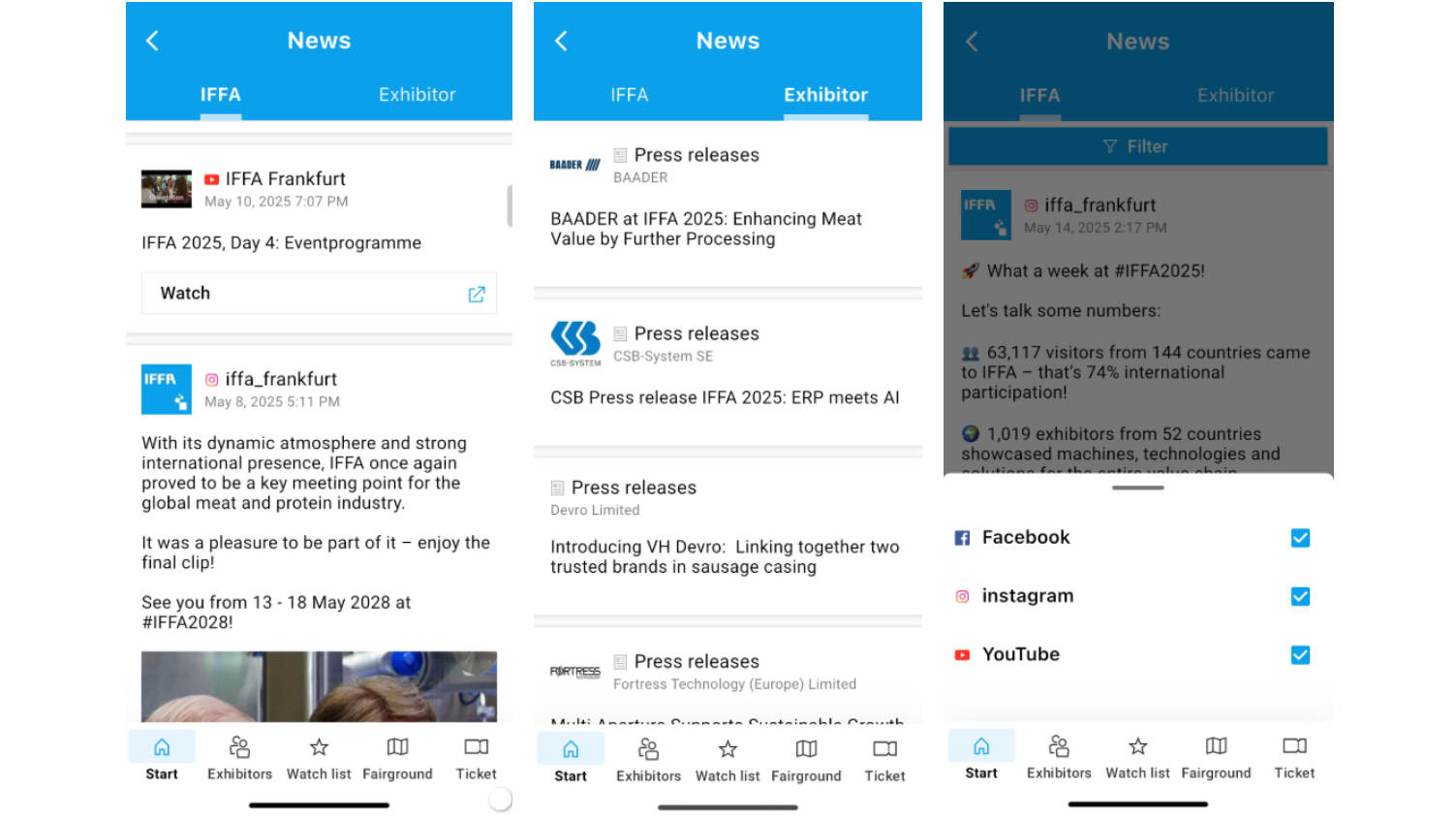
Contains:
- Press releases from the website
- Blogs
- Facebook-posts
- Youtube channel
- Pinterest channel
- Filter for social-media-posts only or exclude them from your timeline
- Second tab only if booked by exhibitors: press releases
- Advertising banners on the bottom of the app
Fairground

Features:
- Shows a venue overview with the option to tap on the halls to access the floorplan.
- Exhibitor logos or names are shown on the booth
- On the floorplan all booths are shown with direct links to the exhibitor's detailed profile page
- List of your already marked favourites/of your watchlist
- Quickfilter for the halls
- Locate yourself on the venue (Frankfurt fairground only)
- Advertising banners on the bottom of the app
Exhibitor Search
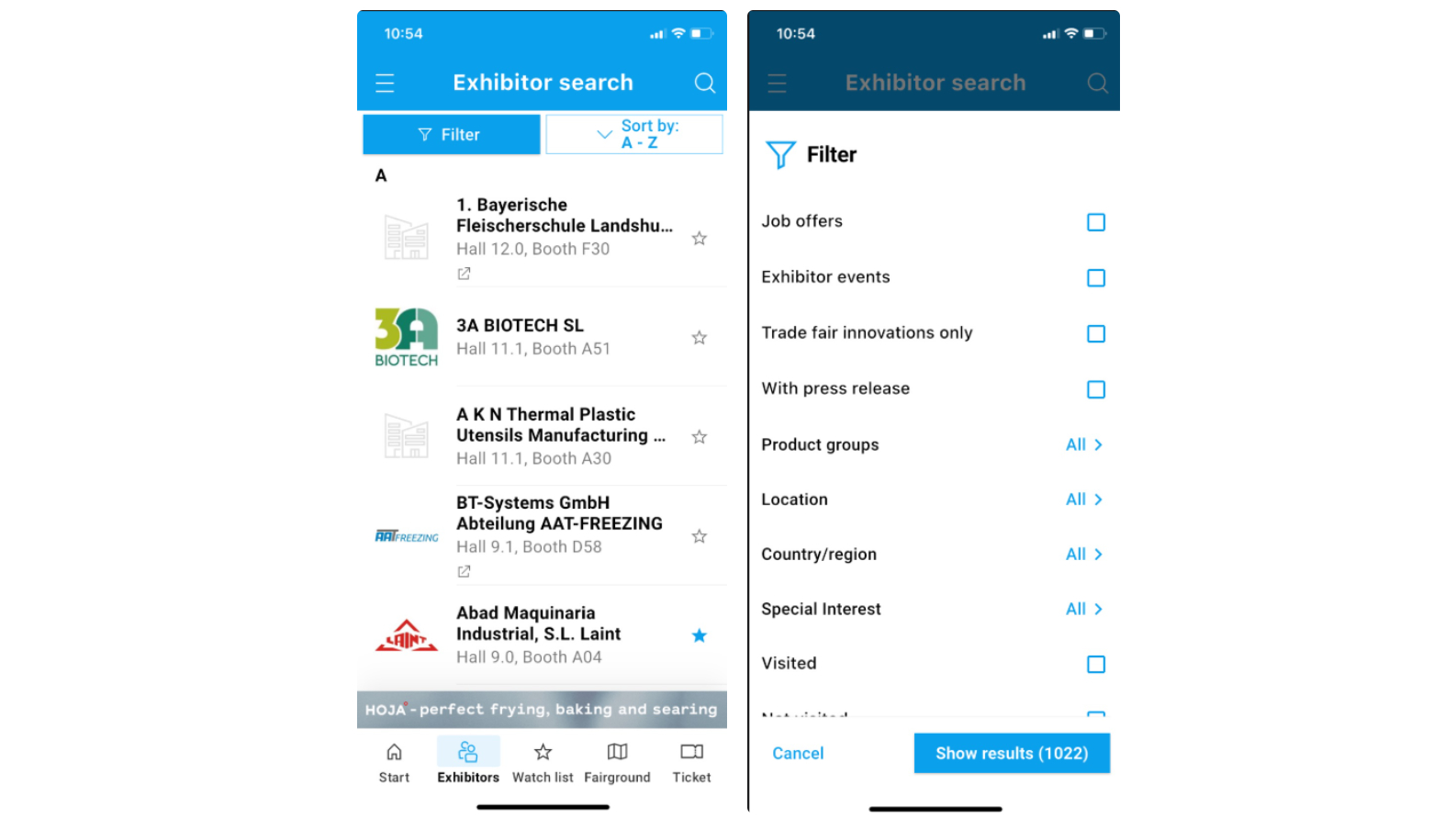
Features:
Please note that not all features details might be available at all exhibitor profile pages.
- Shows a list of all exhibitors of the show
- Shows the exhibitor profile for each exhibitor containing the same information as on the web-exhibitorsearch (company profile, products, product groups, documents, contact persons etc.)
- Add action items like add a date to your calendar, taking notes, taking pictures, mark as visited and add as favourite to your watchlist. You can also share the exhibitor via mail, social media etc.
- Filter for
a. Product groups, special interests
b. Country of origin of the exhibitors,
c. Halls,
d. Parallel fairs (shows exhibitors of parallel fairs also in the list view if selected)
e. Fair novelties or
f. Exhibitors with press releases
g. action-items like marked as visited, having notes taken, having photos taken
Features details
- Company name
- Logo
- Notes
- Photos
- Teaser text
- Hall/Booth with link to iGP
- Zones/Pavillions
- Special Interests
- Multiple profiles
- Exhibitor events
- 3D Booth
- Products with Images and detail pages (links, downloads, texts, images)
- 3D products
- Product groups
- Application areas
- Product end use
- Search for cooperations
- About us with image file
- Our brands
- Licenses
- We're licencee for
- Press releases
- Job offers
- Document downloads
- Links
- Contact information/Company address
- Email, phone, website, fax
- Contact persons
- Social media networks (fb, instagram, linkedIn, youtube)
- Keywords
Job Offers
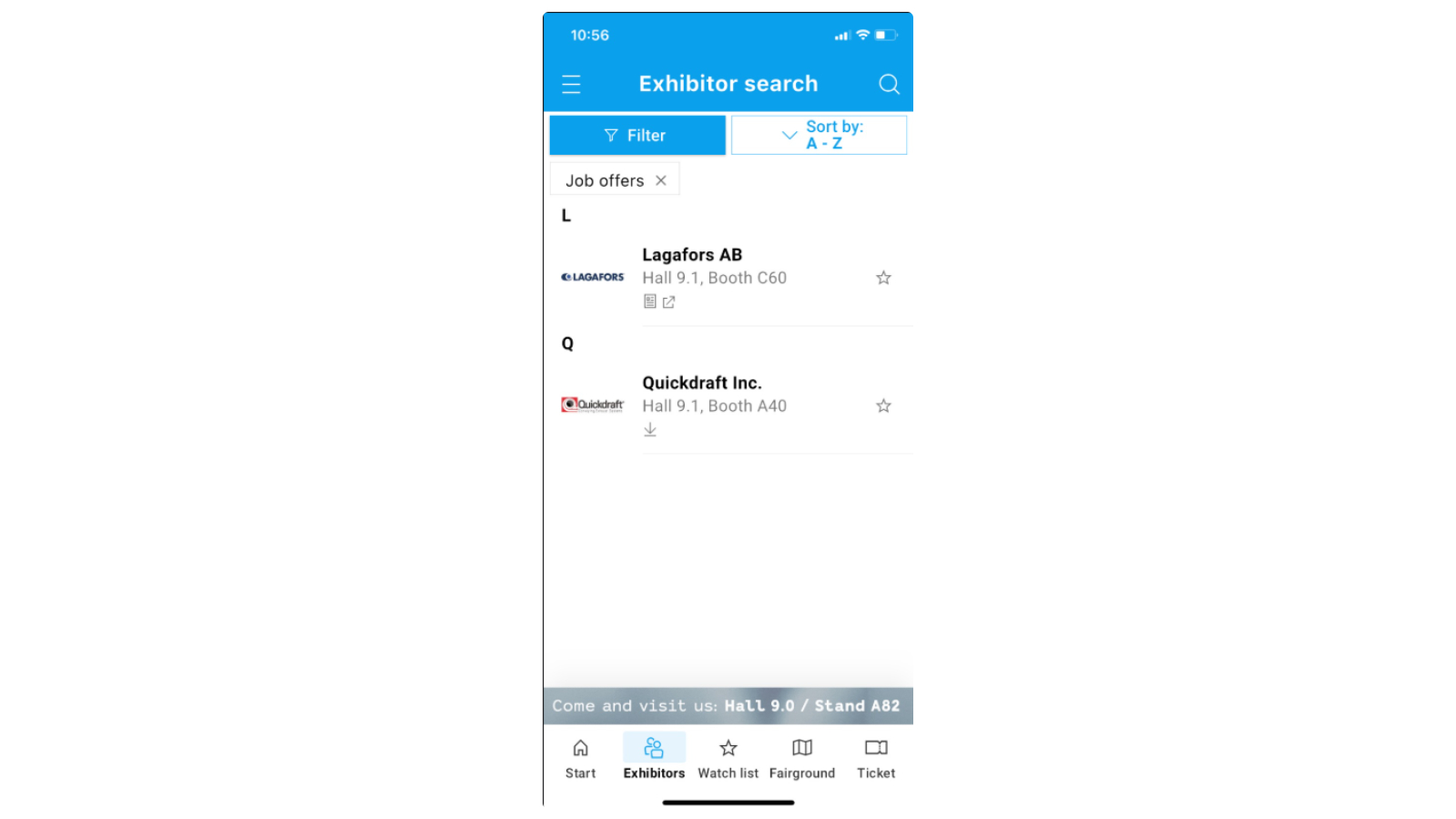
Contains a list of job offers if they are booked by an exhibitor.
Watchlist (Favorites)
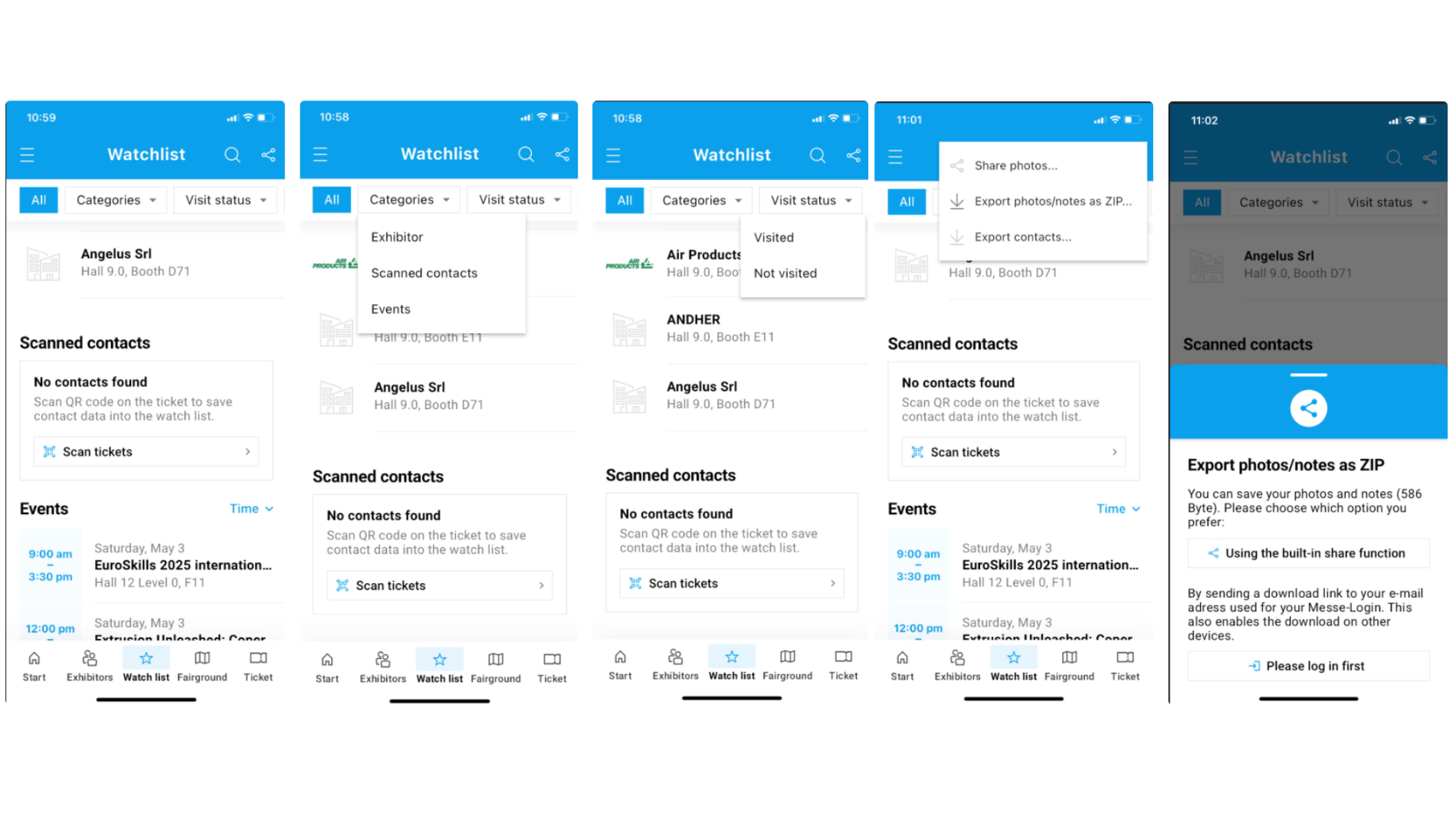
Features:
Shows the list of
- Exhibitors you added either locally in the app or the exhibitors you already synchronised with the exhibitor search on the website. Please note that you need to be logged in with your user account.
- Allows to show exhibitors of parallel fairs also (if selected in the filter)
- Events you added either locally in the app or the events you already synchronised with the events calendar on the website
- Contacts scanned with the scanner function of the app
Export photos, notes and contacts by using the watchlist
- Use the device's share option
- Or use the new ZIP Export via download link (Login with user account required)
Watchlist: Export notes and photos
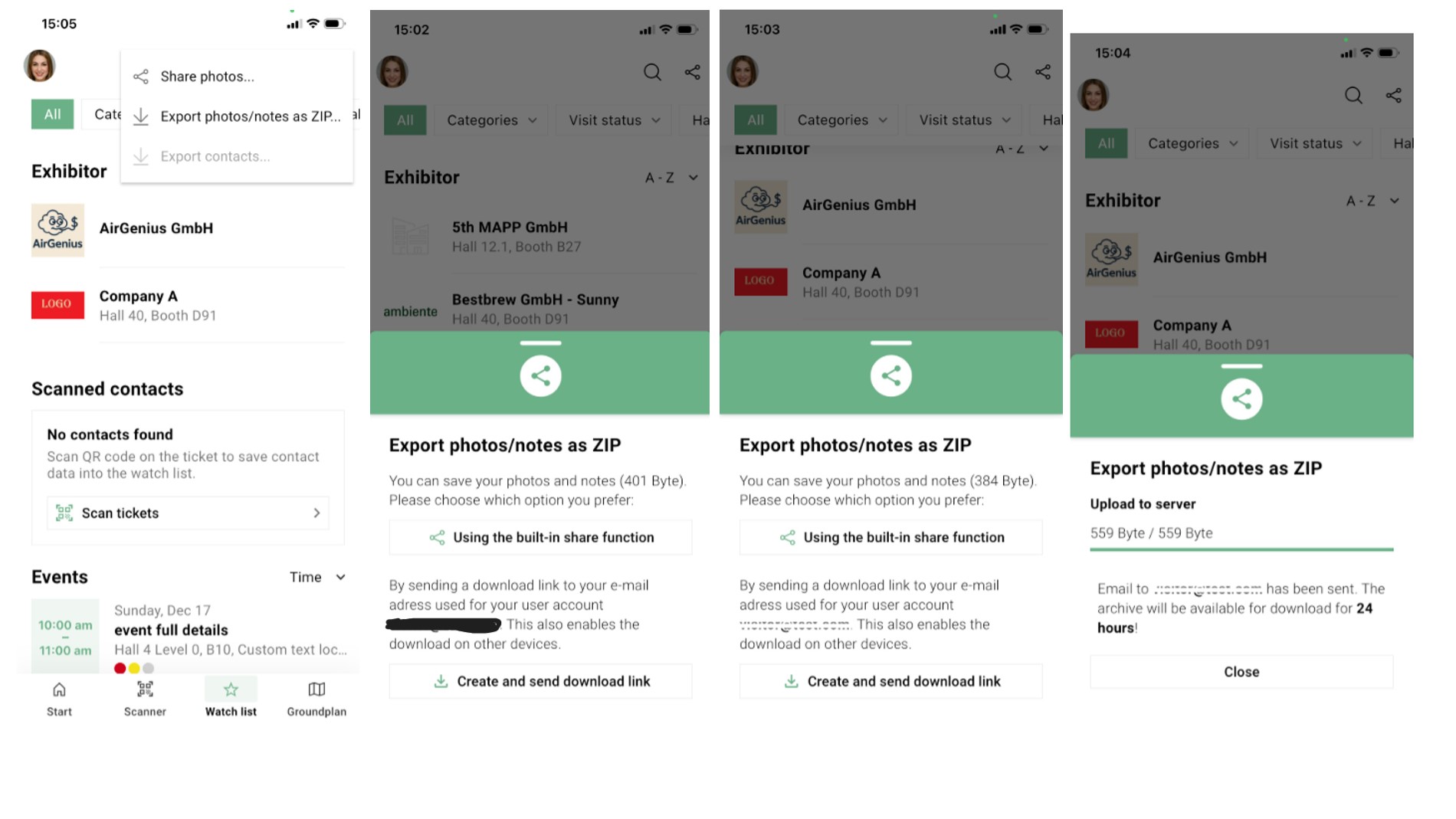
You can download photos and notes taken in the app by using a download link (login with user account required). This download link can be opened from any device and enables you to download this information in one comfortable zip-file with folders for photos and a csv-file for the notes.
The download link can be triggered by accessing the watchlist and choosing the option in the top right corner "export photos/notes as ZIP"
You will receive an e-mail then and can follow the link.
The ZIP file contains the photos and notes sorted and named with the event's or exhibitor's name.
Tickets
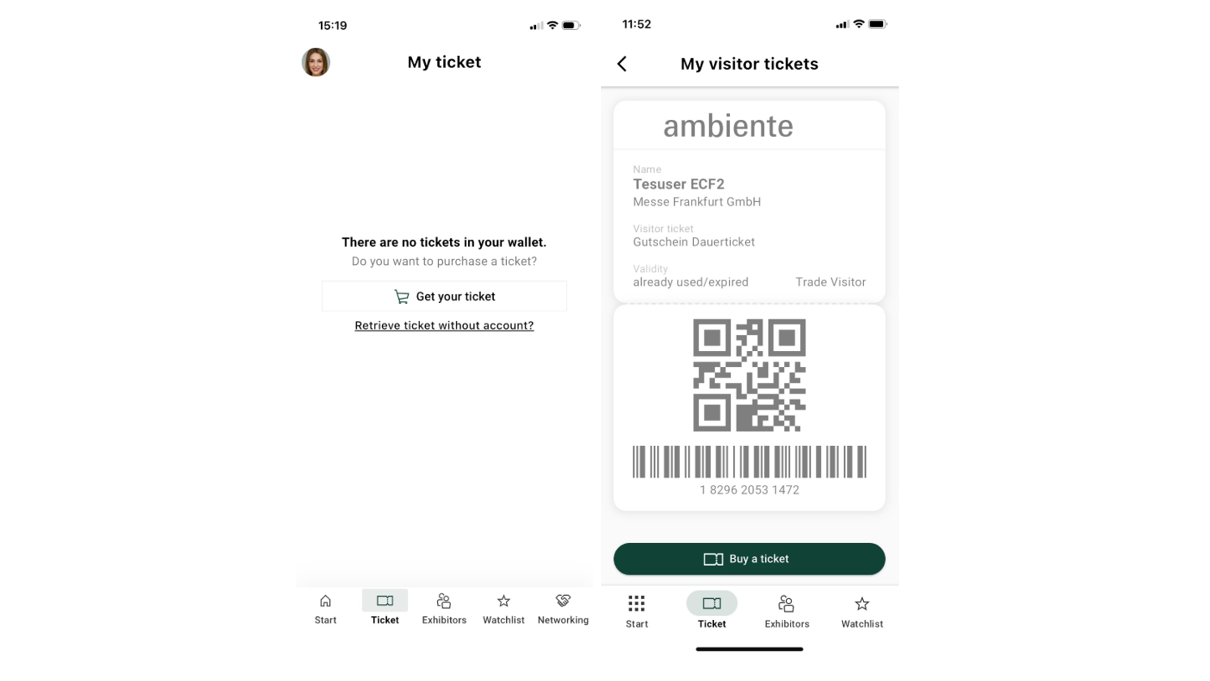
Features:
- Tickets bought in the Frankfurt ticket shop can be shown in the app or even bought if you haven’t got one yet.
- Use the ticket to enter the fairground and/or let it be scanned by business partners to exchange contact data.
- Available for visitor tickets and exhibitor tickets
- Login with user account is the easiest way to add the tickets
Events
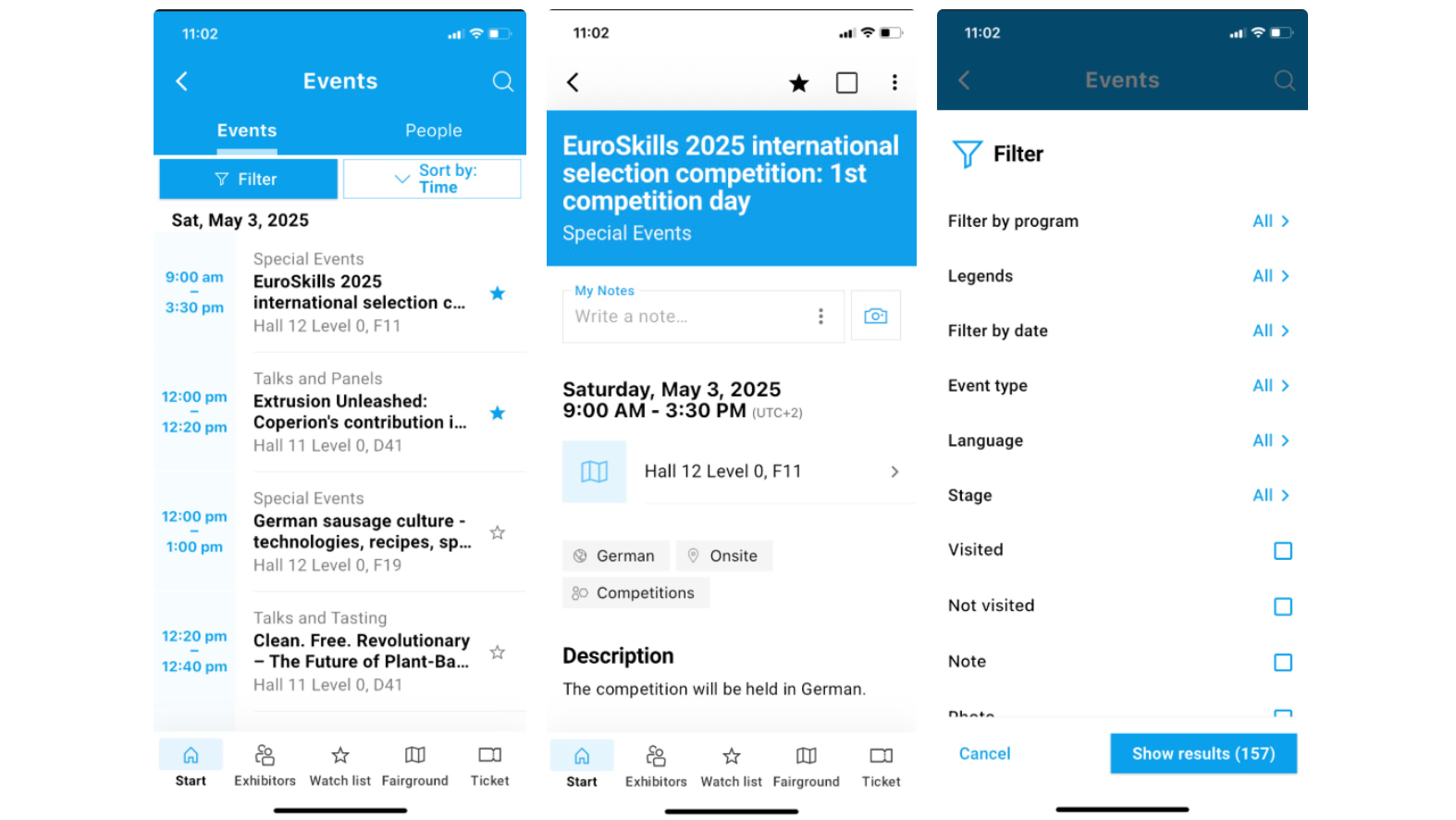
Features:
- List of all events of the show,
- Sort-order by date and time
- Detail page of events with descriptions, speakers etc
- Detail page with action items like taking notes, taking pictures, mark as visited and add as favourite to your watchlist. You can also share the event via mail, social media etc.
- Filter options for day and program
- Filter options for action-items like visited, notes taken, photos taken
- Advertising banners on the bottom of the app
Networking
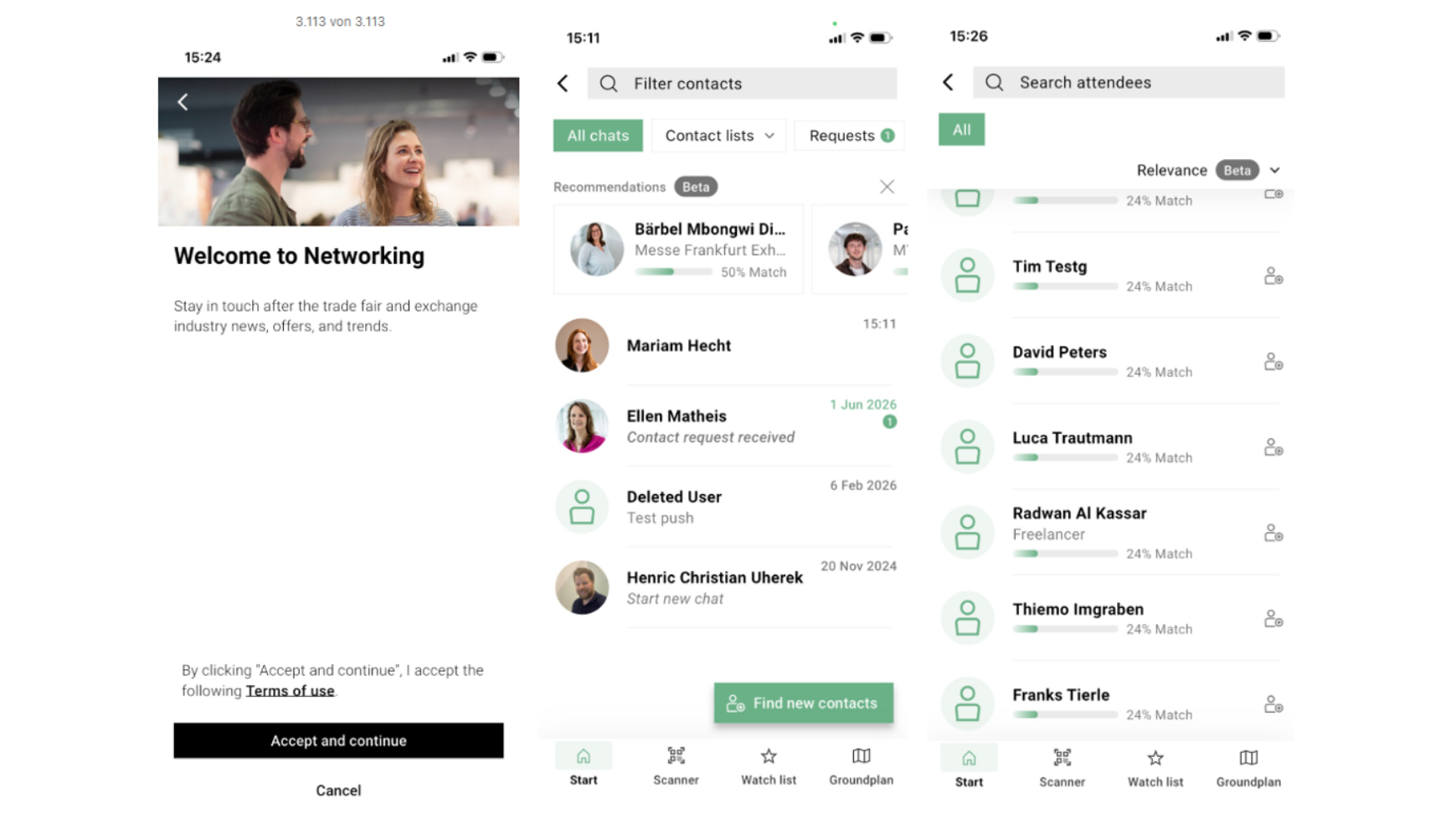
Features:
- Networking tool to acquire business contacts
- Login with user account required
- List of persons interested in the respective fair topics and possibility to contact them directly and chat with them
- Filter for branches according to the branches used for the ticketing
- Filter for interests or offers based on product groups
- Filter for country of origin of a person
- Filter for freelancers
Hamburger Button
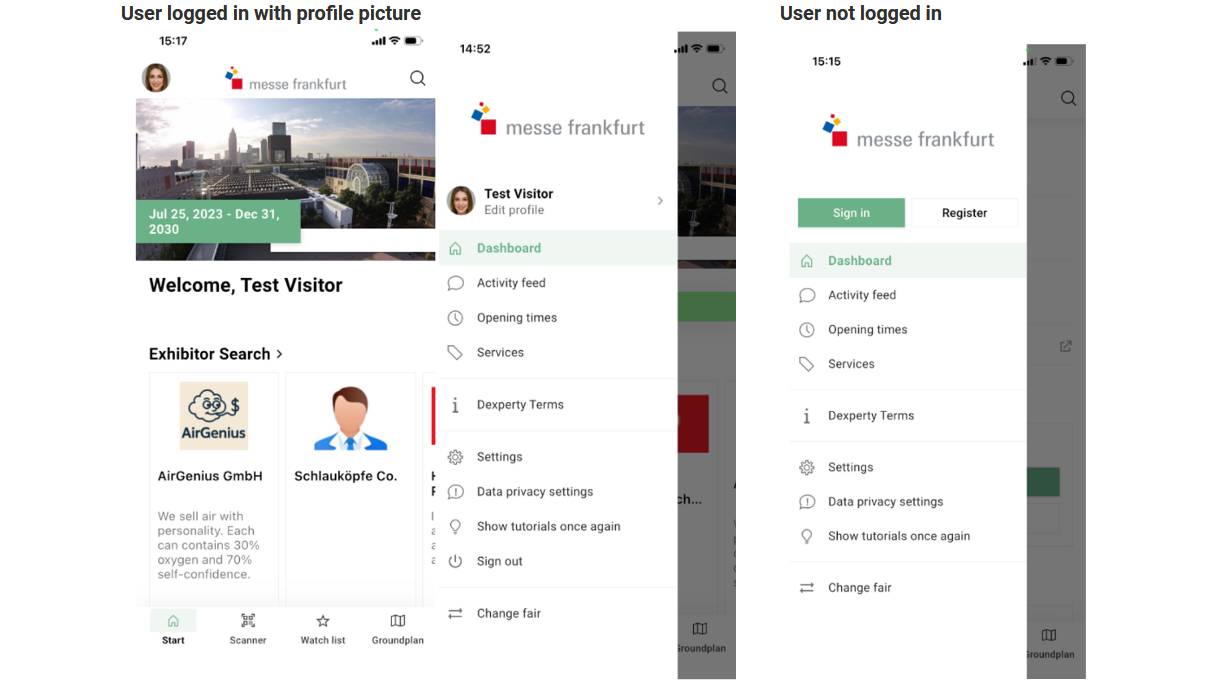
Features:
- Opening times
- Services like arrival and stay, parking, WiFi, worldwide events
- User account and profile data
- Settings like privacy policy, deactivate the app tracking
- Legal notice
- Terms of use (due to connect module)
- Data privacy
Scanner
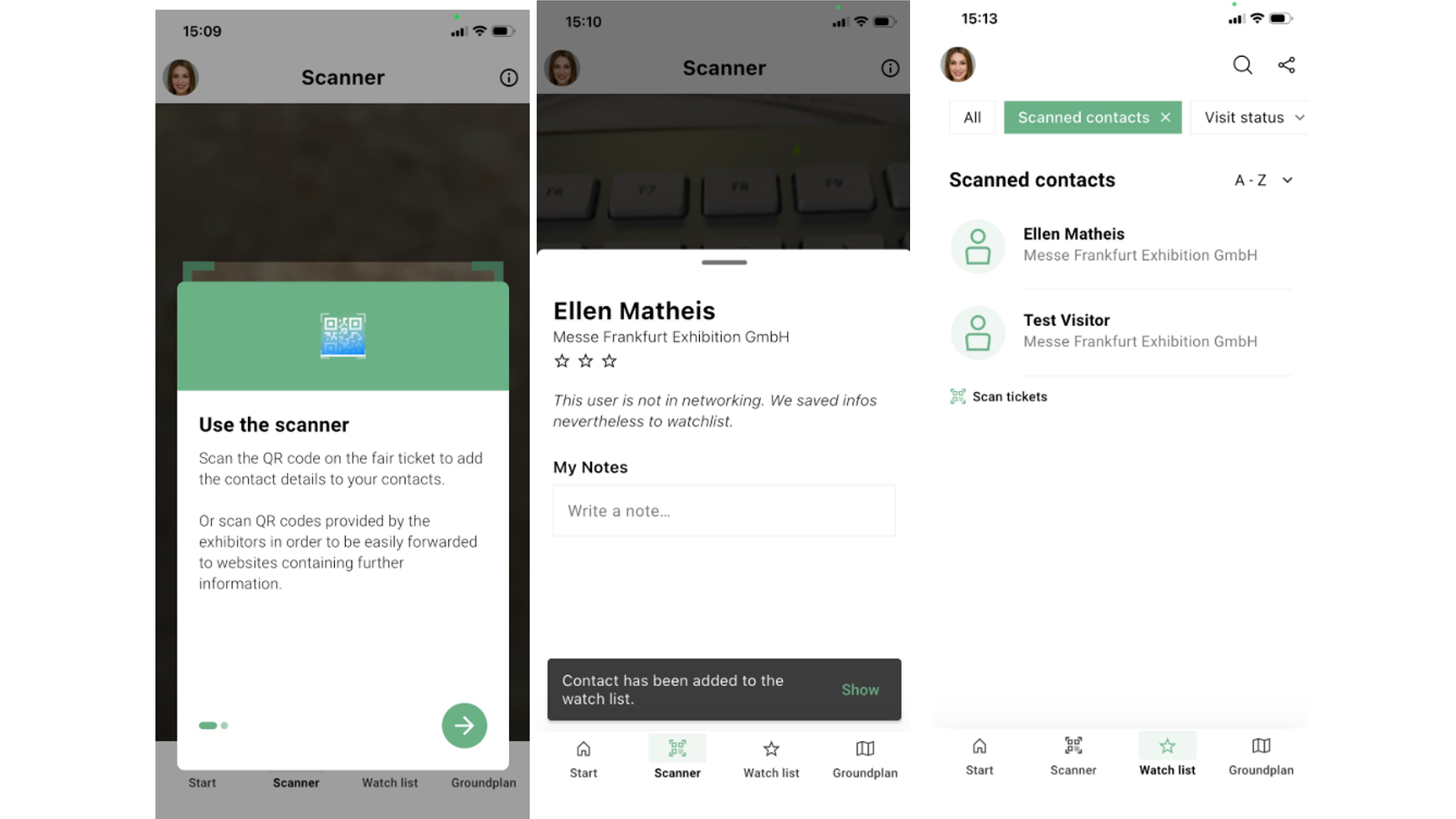
Features:
- Scans visitor badges and adds the name and contact information to your watch list
- Scans visitor badges and sends contact requests automatically to the scanned person if the Networking feature is activated
- Scanning automatically creates a "scanned contacts"-list in the watch list
- Scans QR-Codes and opens the URL
Links from the dashboard /weblinks
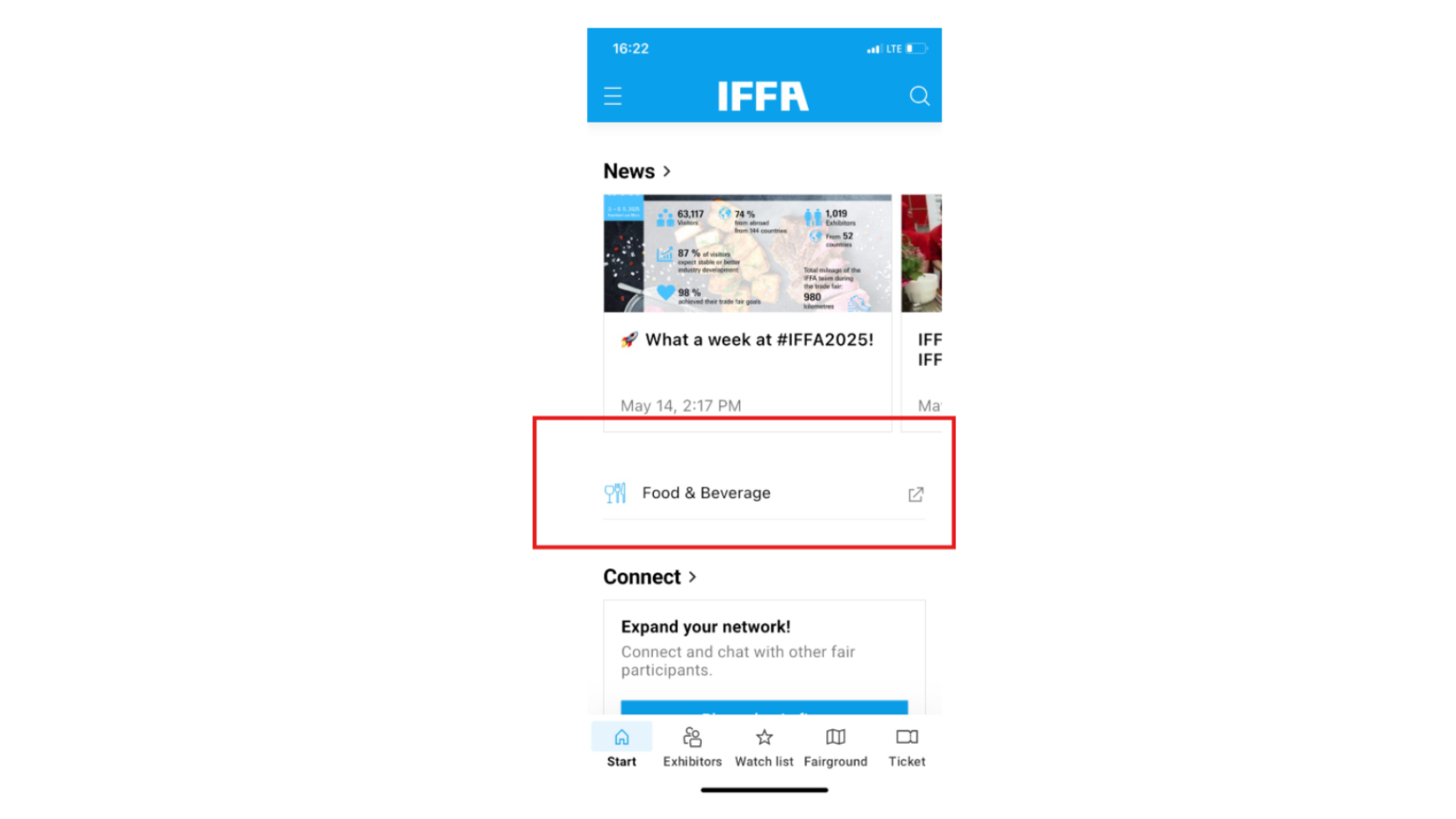
Features:
- Weblink: The link will open an in-app-browser where you have the basic functionality of a standard browser, but you can also leave the app into another browser installed on your device.
- Link to another app: the link can lead to another show app or even to a service app.
Audio Guide
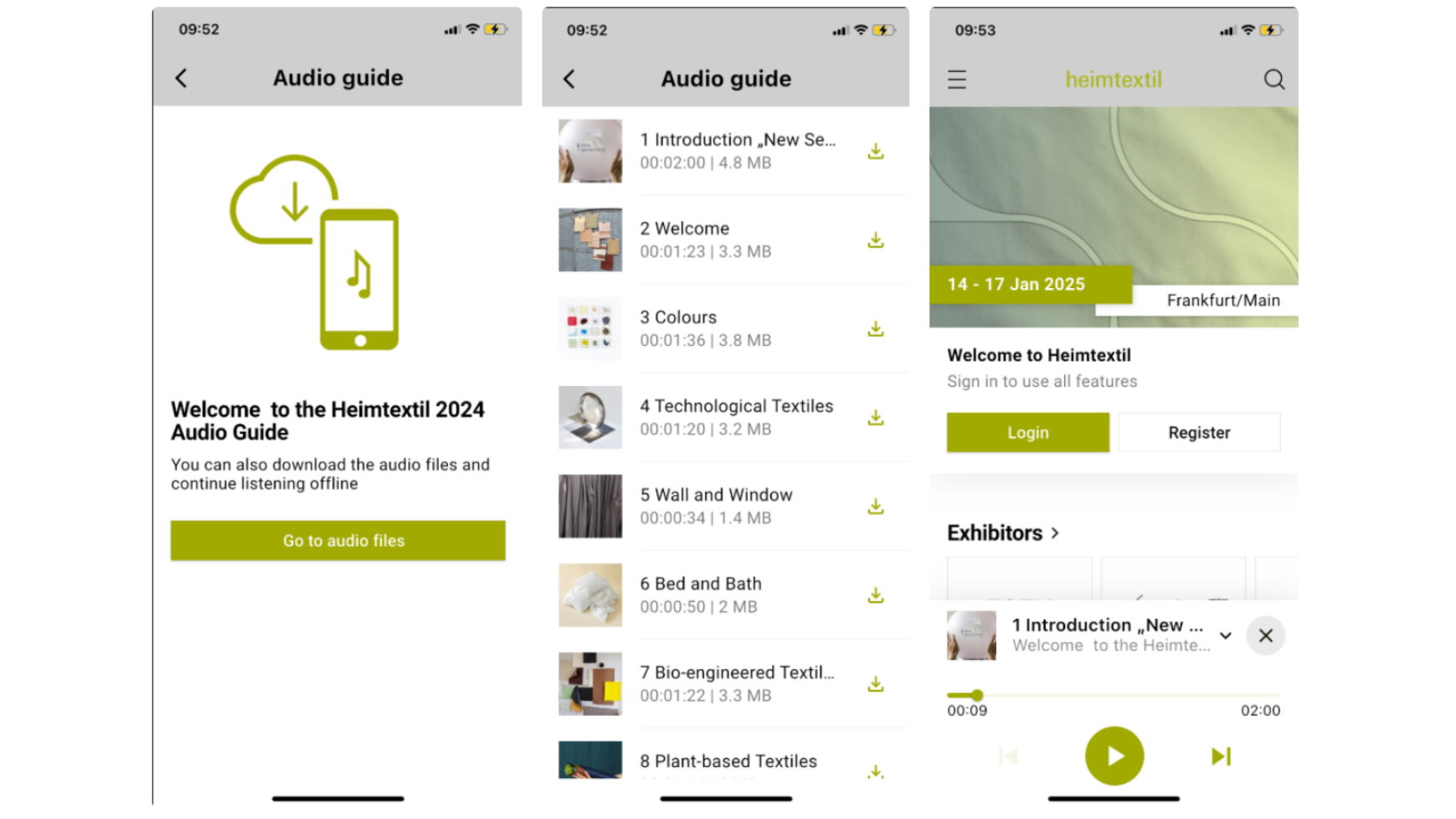
Features:
- It’s a list of audio files for a specific area or a guided tour through the fair
- You can download the files to listen to them offline, too.
Consent Tool
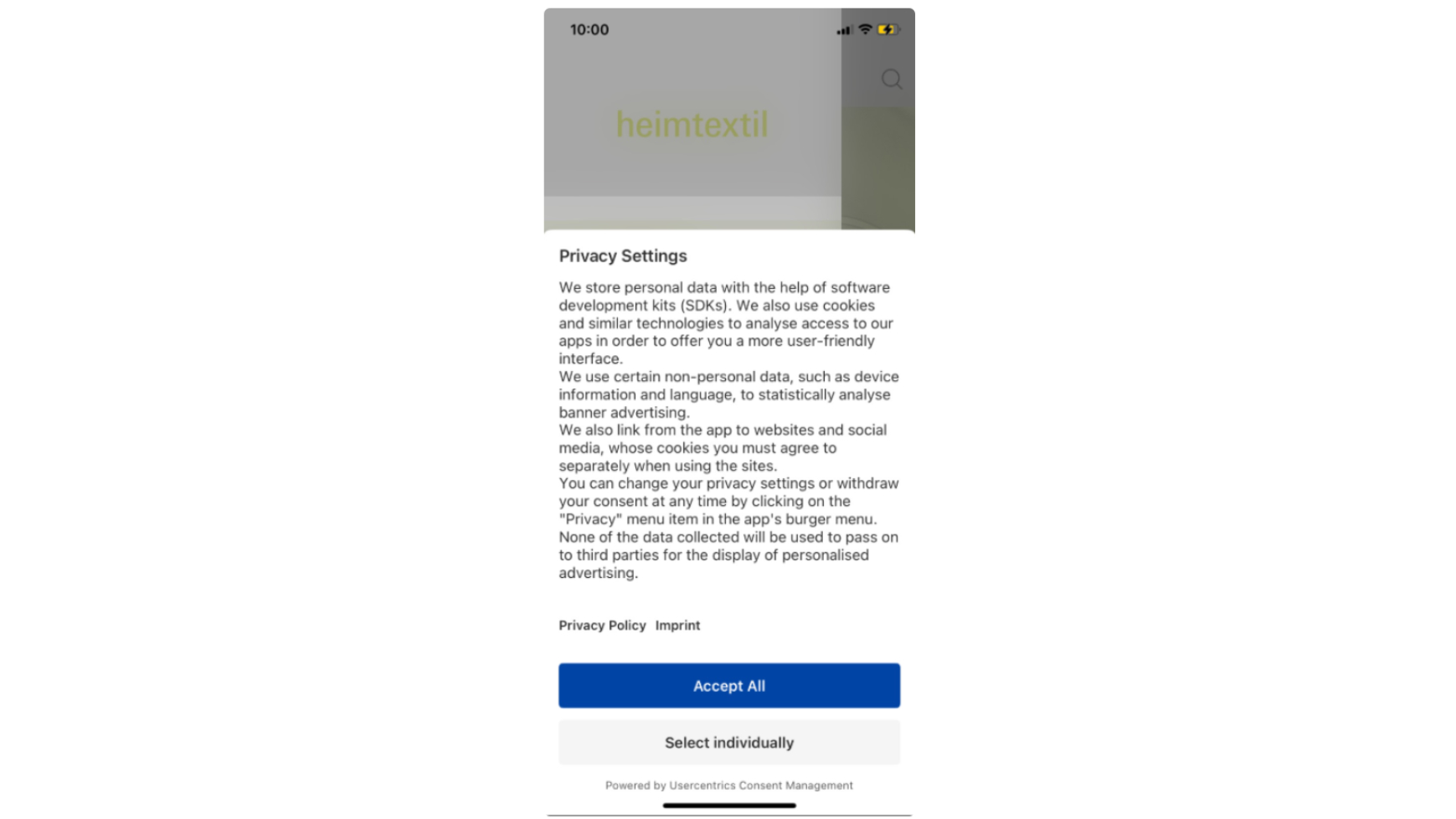
Features:
- Manage your privacy setting in the consent tool to ensure your data privacy is protected.
Registration badges
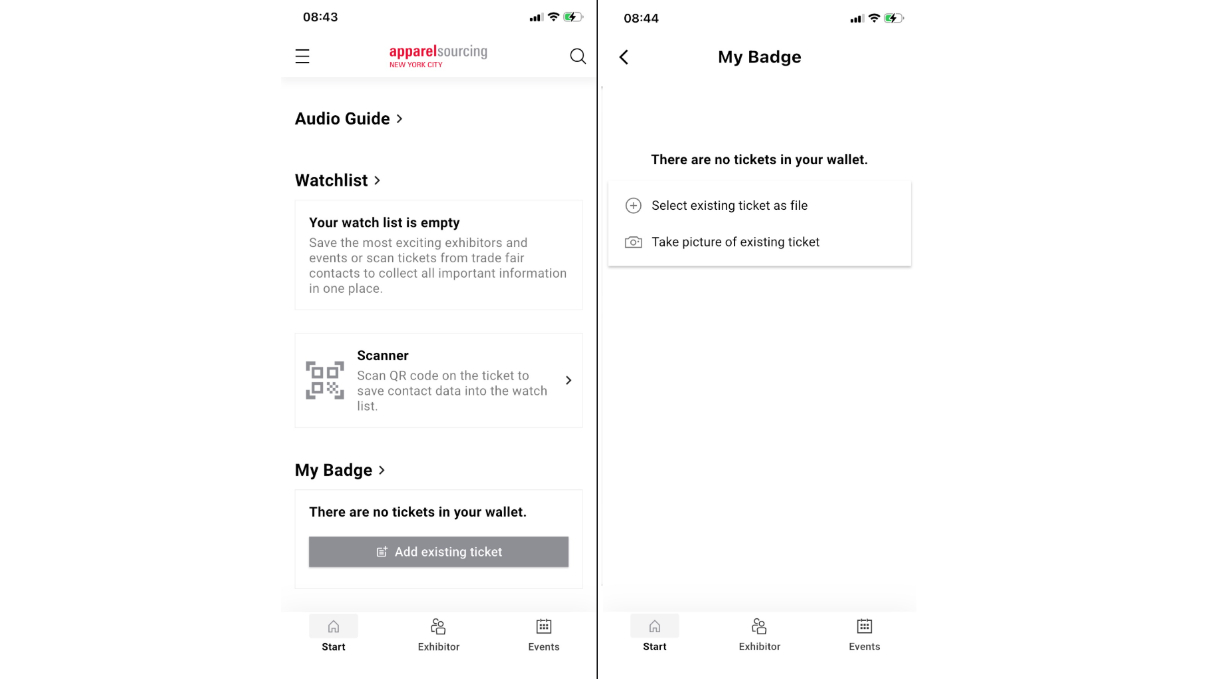
- App users of international shows not located in Germany can upload their registration badges manually into the app.
- Use the registration badge to enter the fairground